
Migrating an online store to Shopify, WooCommerce, Magento, or another e-commerce platform involves more than transferring products, customers, and orders. One of the most important tasks is ensuring that existing product and category URLs continue to lead customers and search engines to the correct destinations.
A poorly planned migration can leave hundreds of broken links, incorrect redirects, missing category pages, and outdated URLs. These issues can affect the shopping experience, interrupt customer journeys, and create unnecessary SEO problems.
That’s why learning how to verify product and category URLs after an e-commerce migration is essential for store owners, developers, and SEO professionals.
Whether you’re migrating from Magento to Shopify, changing your WooCommerce permalink structure, or moving an entire product catalog to a different domain, a systematic URL verification process helps identify problems before they affect more visitors.
In this guide, you’ll learn how to check product redirects, validate category destinations, detect common migration errors, and perform large-scale redirect testing using a CSV-based verification process.
Table of Contents
Why You Must Verify Product and Category URLs After an E-commerce Migration
When migrating an e-commerce website, the structure of its URLs often changes.
For example, an existing WooCommerce product might use:
After migrating to Shopify, its new location could become:
Likewise, a category URL may change from:
to:
If the migration does not correctly connect these URLs, visitors following bookmarks, search results, or external links may encounter 404 errors.
Even when a redirect exists, it might send visitors to the wrong product, an unrelated category, or the homepage.
Correct URL verification offers several benefits:
- Protect organic search visibility: Help Google understand where existing pages have permanently moved.
- Preserve useful customer journeys: Direct shoppers toward the products or categories they intended to visit.
- Reduce unnecessary 404 errors: Identify broken destinations before they affect additional visitors.
- Maintain external link usefulness: Ensure existing links from blogs, suppliers, affiliates, and other websites continue reaching relevant pages.
- Support conversion opportunities: Avoid losing potential customers because product and collection URLs lead to errors.
A successful migration should not simply make the new website accessible. It should also provide a reliable transition from the old URL structure to the new one.
1. Create a Complete Inventory of Old Product and Category URLs
Before you can verify product and category URLs, you need an accurate inventory of the addresses that existed before migration.
Ideally, this inventory should be prepared before the old website is retired.
Useful sources include:
- Existing XML sitemaps
- Product exports from the previous platform
- Category and collection exports
- Google Search Console landing-page reports
- Website crawling software
- Historical analytics reports
- Server logs
- Important externally linked pages
Do not rely exclusively on the current sitemap. It might exclude discontinued products, previously indexed pages, or older category URLs that still receive visits.
For larger stores, also collect the URLs of high-traffic products, important collection pages, manufacturer categories, and promotional landing pages.
Prioritize commercially important URLs
Not every URL has equal business value.
Start with:
- Best-selling product pages
- Categories generating organic search traffic
- Products receiving external backlinks
- Important brand and manufacturer pages
- Seasonal product categories
- Previously indexed product URLs
- Discontinued products with relevant replacements
However, your eventual audit should cover all known URLs that require redirects—not only the most profitable ones.
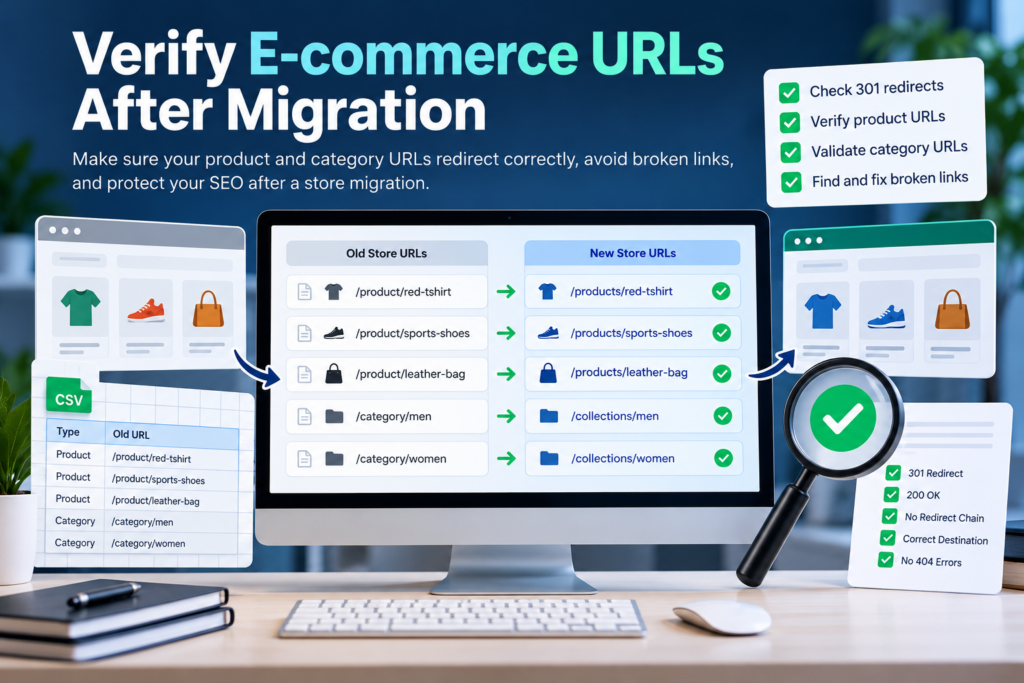
2. Build an Old-to-New URL Mapping Spreadsheet
A URL mapping spreadsheet is the foundation of reliable e-commerce migration testing.
It records where every important old address is expected to lead after the migration.
A simple example looks like this:
| Old URL | Expected new URL |
|---|---|
oldstore.com/product/blue-shirt | newstore.com/products/blue-shirt |
oldstore.com/product/running-shoes | newstore.com/products/running-shoes |
oldstore.com/category/menswear | newstore.com/collections/menswear |
oldstore.com/category/accessories | newstore.com/collections/accessories |
For an actual CSV verification file, include complete URLs with https:// and the correct column names.
The Altrix Redirect Verification Tool accepts columns named source_url and expected_destination.
Example:
source_url,expected_destination
https://oldstore.com/product/blue-shirt,https://newstore.com/products/blue-shirt
https://oldstore.com/category/menswear,https://newstore.com/collections/menswear
Use the actual destination of each product or category, not a generic homepage URL.
What if a product no longer exists?
If a discontinued product has a genuinely close replacement, redirecting to that replacement may provide a useful customer experience.
If there is no suitable replacement, consider keeping a helpful discontinued-product page or returning an appropriate 404 or 410 response.
Avoid redirecting every discontinued product to the homepage. Unrelated redirects can confuse shoppers and may be interpreted as soft 404 errors by search engines.
The objective is to preserve relevance, not merely eliminate every 404 status.
3. Check Whether Old URLs Return Correct HTTP Redirect Codes
One of the first technical checks after migration is inspecting the HTTP response for each old URL.
Common response codes include:
| HTTP code | Meaning | Typical interpretation |
|---|---|---|
| 200 | Successful response | Expected for a working destination |
| 301 | Moved permanently | Appropriate for most permanent migration redirects |
| 308 | Permanent redirect | Another valid permanent redirect |
| 302 | Temporary redirect | Review if the migration is permanent |
| 307 | Temporary redirect | Review if a permanent move was intended |
| 404 | Not found | May indicate a broken URL or deliberately removed content |
| 410 | Gone | Indicates deliberately removed content |
| 500 | Server error | Requires technical investigation |
For permanent URL migrations, server-side 301 or 308 redirects are generally recommended.
Google explains that permanent redirects provide a signal that the new destination should become the canonical URL.
However, the response code is only one part of the verification process.
A 301 redirect does not automatically mean the URL is correct.
A redirect might return 301 but lead to an unrelated product, an outdated collection, or another broken page.
That is why checking the final destination is essential.
For more information, consult Google’s official guide to redirects and Google Search.
4. Verify Product and Category URLs Against Their Expected Destinations
This is the most important part of the audit.
Every redirected URL should be compared against the expected destination recorded in your mapping spreadsheet.
Consider these examples:
Correct product redirect
Old URL:
Expected destination:
Actual destination:
Result: Correct mapping.
Incorrect product redirect
Old URL:
Expected destination:
Actual destination:
Result: Incorrect destination.
Both examples might begin with a 301 response, but only the first reaches the intended product.
Check product identity and page content
Beyond comparing URL strings, open important destination pages and verify that they contain the correct:
- Product title
- Product images
- SKU or product identifier
- Variations
- Pricing and availability
- Product description
- Add-to-cart functionality
URL verification confirms the technical route. Product-content verification confirms that the customer has reached the intended merchandise.
A store migration needs both checks.
5. Detect Redirect Chains and Redirect Loops
Redirect chains occur when a URL passes through several redirects before reaching its destination.
For example:
Old Product URL → Intermediate URL → New Product URL
A chain can still work, but unnecessary hops may increase loading time and complicate troubleshooting.
An even more serious issue is a redirect loop.
For example:
URL A → URL B → URL A
In this case, the browser cannot reach a final page.
How to identify redirect chains
For each old product and category URL:
- Inspect the initial HTTP response.
- Follow the redirect to the next URL.
- Record each intermediate destination.
- Confirm the final response code.
- Compare the final URL with the expected destination.
- Identify unnecessary intermediate redirects.
Where possible, update redirects so the original URL points directly to the intended final page.
Google recommends minimizing redirect chains, particularly during website migrations.
See Google’s official site migration documentation for more detailed recommendations.
6. Verify Product and Category URLs in Bulk Using a CSV File
Manually checking a handful of URLs is manageable.
However, imagine migrating an online store with:
- 2,000 products
- 150 categories
- 300 discontinued product pages
- Multiple legacy URL formats
Checking these addresses one by one can become time-consuming and prone to oversight.
A structured CSV-based workflow makes the verification process easier to organize.
How the Altrix Redirect Verification Tool helps
The Altrix Redirect Verification Tool is a standalone application designed for redirect quality assurance.
It compares the expected destinations in a CSV file against actual live redirect behavior.
Its capabilities include:
- Checking up to 500 redirect rows per run
- Inspecting 301, 308, and temporary redirects
- Comparing expected and actual final URLs
- Detecting redirect chains and loops
- Identifying 4xx and 5xx responses
- Reporting DNS, TLS, and timeout issues
- Exporting CSV verification reports
The software runs locally and does not require a Shopify, WooCommerce, or WordPress connection.
For larger migration projects, divide the redirect mapping into batches of up to 500 rows.
Practical verification workflow
Step 1 — Prepare your CSV
Create a spreadsheet containing each source URL and expected destination.
Step 2 — Import the redirect mapping
Load the CSV into the Altrix Redirect Verification Tool.
Step 3 — Configure verification settings
Review the available options for trailing slashes, query strings, hostname differences, timeouts, and related URL comparisons.
Step 4 — Run verification
The application checks the live redirects and records their results.
Step 5 — Review the report
Identify successful mappings, unexpected destinations, broken pages, and network errors.
Step 6 — Fix the affected redirects
Apply corrections through your e-commerce platform, redirect management system, or server configuration.
Step 7 — Recheck the corrected URLs
Run verification again and retain the updated report as migration documentation.
The tool identifies issues and creates reports; it does not automatically modify your website’s redirect configuration.
7. Check Category and Collection Redirects Separately
Product URLs are only one part of an e-commerce website.
Category and collection pages often attract visitors researching broader product groups.
For example, a category page for men’s running shoes may receive organic traffic from shoppers who have not selected a specific product.
If that page disappears after migration, the store can lose an important discovery route.
Category verification checklist
For each important category, confirm:
- The old URL redirects to the correct new collection or category.
- The final page loads successfully.
- Its content matches the original search intent.
- Relevant products are displayed.
- Category navigation works.
- Internal links use the preferred new URL.
- The page has appropriate indexing and canonical settings.
Consider a migration from WooCommerce to Shopify:
Old category:
New collection:
The redirect should reach the relevant running-shoes collection rather than an unrelated general clothing page.
If categories are merged during migration, document the consolidation and select the closest genuinely relevant destination.
8. Understand Platform-Specific Redirect Differences
Different e-commerce platforms handle URLs and redirects differently.
WooCommerce migrations
WooCommerce stores commonly use WordPress-based permalink structures.
When moving away from WooCommerce, record the complete product and category URL formats before changing permalink settings or deactivating the old site.
Pay particular attention to product variants, custom permalink structures, and categories with similar names.
If the domain is changing, confirm that the old host or domain configuration continues to serve the necessary redirects.
Shopify migrations
Shopify commonly uses paths such as /products/ for products and /collections/ for collections.
When migrating to Shopify, verify that old product and category paths redirect to their appropriate Shopify destinations.
Shopify supports importing and managing URL redirects, but certain system paths are reserved, and redirects generally apply to paths that are no longer serving valid pages.
For current instructions and limitations, consult the official Shopify URL redirect documentation.
Magento and other platform migrations
Magento stores may use custom URL keys, product suffixes, hierarchical categories, and configuration-specific URL rewrites.
During migration, check whether:
.htmlsuffixes have been removed or changed.- Category paths have been rewritten.
- Product URLs have been consolidated.
- Duplicate historical rewrites still exist.
- Legacy URLs redirect to the correct products.
Large catalogs should be verified using a complete mapping rather than relying on broad redirect patterns alone.
9. Check Canonical URLs, XML Sitemaps and Internal Links
Even correctly configured redirects are not the entire SEO migration process.
Your new website also needs consistent internal signals.
Canonical URLs
Check whether the canonical tag on each important new product and category page points to the intended preferred URL.
Avoid retaining old-domain canonical URLs after a permanent cross-domain migration unless there is a specific technical reason.
XML sitemaps
Update XML sitemaps to contain the new preferred URLs.
Do not submit obsolete URLs as though they were current canonical product pages.
Google Search Console can help identify indexing issues and monitor the processing of submitted sitemaps.
Internal navigation
Update menus, breadcrumbs, related-product links, category navigation, and important editorial links to reference final URLs directly.
Internal links should not unnecessarily depend on old redirects.
Pagination, filters and variants
Also test representative examples of pagination, filter combinations, sorting parameters, and variant URLs.
Not every parameterized URL needs indexing. The goal is to ensure that valid customer journeys work and that the site’s canonicalization strategy is consistent.
10. Monitor Google Search Console After Migration
After completing initial verification, monitor how Google processes the new website.
Important areas include:
Performance reports
Compare organic clicks, impressions, and search queries for important product and category pages.
Page indexing reports
Investigate unexpected increases in 404 responses, server errors, and pages excluded from indexing.
URL Inspection
Inspect critical new pages to check their accessibility, indexing state, and Google-selected canonical URL.
Sitemaps
Confirm that the new sitemap has been submitted and can be processed.
Remember that search performance can fluctuate during a migration. Rankings do not necessarily stabilize immediately, even when redirects are implemented correctly.
Google explains that site moves can take weeks or longer to process, depending on the site’s size and crawl conditions.
Review trends over time instead of making decisions based only on the first day after launch.
11. Common E-commerce Migration URL Problems and Their Solutions
Here are several problems that frequently deserve attention.
Problem: Old product URL returns 404
Possible cause: Missing redirect rule or unavailable old-domain configuration.
Action: Determine whether a suitable replacement exists, create the appropriate redirect if justified, and recheck.
Problem: Product redirects to the homepage
Possible cause: Generic redirect rules applied during migration.
Action: Replace the rule with a specific product mapping when a relevant destination exists.
Problem: Category opens the wrong collection
Possible cause: Incorrect category mapping or category restructuring.
Action: Check the intended collection and update the mapping and redirect configuration.
Problem: Redirect returns 302 instead of 301
Possible cause: Temporary redirect configuration or a platform-generated response.
Action: Determine whether the redirect represents a permanent migration. If so, configure a permanent redirect where appropriate.
Problem: Redirect loop occurs
Possible cause: Conflicting rules across the old platform, new platform, web server, or CDN.
Action: Trace the chain and remove conflicting rules.
Problem: Automated verification reports a network error
Possible cause: Timeout, firewall, rate limiting, TLS configuration, or bot protection.
Action: Recheck the URL in a normal browser, review server logs, and investigate the infrastructure before treating it as a broken redirect.
Problem: Redirect works but the new product is incorrect
Possible cause: Wrong product mapping or a mistaken product import.
Action: Correct the redirect target and confirm the destination’s product identity, SKU, and content.
A useful verification report should help distinguish these different issues rather than treating every warning as the same problem.
12. Final Product and Category URL Verification Checklist
Before considering your migration complete, review the following checklist.
- All important old product URLs have been collected.
- Old category and collection URLs have been included.
- The expected final destination is documented.
- Permanent moves use appropriate redirect codes.
- Redirects lead to relevant destination pages.
- Broken destination URLs have been investigated.
- Redirect loops have been eliminated.
- Unnecessary redirect chains have been reduced.
- Product names, SKUs, images, and prices have been checked.
- Category navigation and collections work.
- Canonical URLs are consistent.
- XML sitemaps contain the preferred new URLs.
- Important internal links point directly to final destinations.
- Google Search Console is being monitored.
- Corrected redirects have been retested.
- Verification reports have been saved for future reference.
This checklist is useful for store owners managing their own migration and agencies preparing handover documentation for clients.
Frequently Asked Questions
How do I verify product and category URLs after an e-commerce migration?
Create a mapping of old URLs and expected new destinations. Check the live HTTP response, follow redirects to their final URLs, compare those results with your mapping, and investigate broken or incorrect destinations. A CSV-based tool can simplify larger audits.
Should I use 301 or 302 redirects for product migrations?
For a permanent product or category move, a 301 or 308 redirect is generally appropriate. Temporary redirects are better suited to temporary changes where the original URL is expected to return.
Can a product URL return 301 and still be incorrect?
Yes. A 301 response can redirect visitors to the wrong product, an unrelated category, or another page. Always verify the final destination rather than checking only the initial status code.
What happens if a deleted product has no replacement?
If there is no suitable alternative, an accurate 404 or 410 response may be more appropriate than redirecting the page to unrelated content. Evaluate important discontinued products individually.
How many redirects can the Altrix Redirect Verification Tool check?
Version 1.0.0 supports up to 500 redirect rows per run. Larger migration projects can be processed in separate batches.
Does URL verification guarantee that Google rankings will remain unchanged?
No. Redirect verification is an important part of migration quality assurance, but rankings also depend on content, site architecture, indexing, technical SEO, competition, and many other factors.
Conclusion: Verify Every Important URL Before Declaring Your Migration Successful
An e-commerce migration is not complete simply because the new storefront is live and customers can place orders.
Old product links, category URLs, backlinks, search results, and bookmarks must continue to lead visitors to appropriate destinations.
By creating an accurate redirect map, checking HTTP response codes, validating final URLs, reviewing category relevance, and monitoring Google Search Console, you can identify migration problems before they become larger operational issues.
For stores with hundreds or thousands of redirects, a repeatable verification workflow can save substantial manual effort.
The Altrix Redirect Verification Tool provides a practical way to compare expected and actual destinations, inspect redirect chains, identify broken URLs, and export documented results.
Explore the Altrix Redirect Verification Tool
A reliable migration begins with accurate URL mapping—and finishes with verified results.